

Deliverability
Gmail bulk sender requirements for outbound email
What Google's published sender guidelines ask of senders who send large volumes to Gmail: authentication, one-click unsubscribe and a low spam rate. What to check before a campaign.
By MAILTIG editorial. Reviewed by Engineering (Integration engineer (product source)) on 6 November 2026. Next review due 6 February 2027. 5 minute read.
Google sets requirements for senders who deliver large volumes of mail to Gmail addresses. Its published sender guidelines describe the bar as it stands. The exact thresholds and wording change over time, so read the current page before you rely on this summary.
Who counts as a bulk sender
Google's guidance is aimed at senders who send a large number of messages to Gmail accounts in a day. Outbound programmes that send to Gmail recipients in volume should assume the stricter rules apply, even if one mailbox sends fewer messages.
Authenticate every sending domain
Publish SPF and DKIM for the domain that appears in the From address, and a DMARC policy that aligns with them. DMARC is defined in RFC 7489. A domain without these records is the most common reason a new outbound programme lands in spam.
Offer one-click unsubscribe for marketing mail
Google expects bulk senders to support a one-click unsubscribe for commercial messages. The header and the visible link both matter. An opt-out that needs a reply, a login or a form is a weaker signal and a worse experience for the recipient.
Keep the spam rate low
Google publishes a spam-rate threshold that bulk senders must stay under. Measure complaints per send, not only bounces. If complaints rise, stop the step that caused them before you increase volume.
Before a campaign
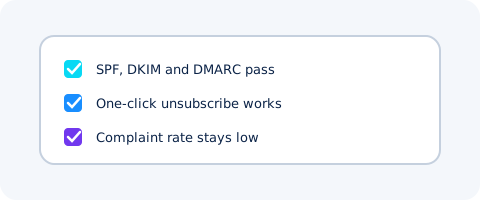
- Confirm SPF, DKIM and DMARC pass for the sending domain.
- Send a small test to a seed list you control and read the headers.
- Check that unsubscribe works in one click.
- Start with a low daily volume and watch complaints for several days.
MAILTIG's deliverability checks cover the DNS records and sender limits. They do not control where a receiver files a message. For the difference, read delivery is not inbox placement.