

Campaigns
Campaign preflight: what actually blocks a send
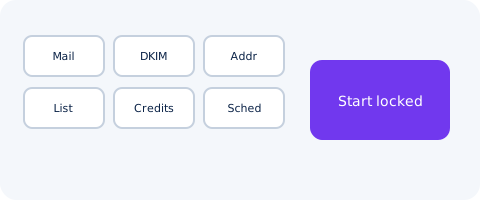
MAILTIG preflight lists blockers before a campaign starts: mailboxes, DKIM, postal address, audience, credits and schedule. A workspace can require approval.
By MAILTIG editorial. Reviewed by Engineering (Campaign lifecycle) on 5 November 2026. Next review due 4 February 2027. 6 minute read.
Preflight is the gate. MAILTIG will not start a campaign while a required check is red. Warnings can be acknowledged. Blockers cannot.
What preflight inspects
Before a campaign starts, MAILTIG lists:
- Connected sending mailboxes
- DKIM mode on the sending domain
- A postal address for the CAN-SPAM footer
- An audience that is not empty after suppression
- Enough credits for the first sends
- A schedule that fits the send windows and daily cap
A workspace can require a person to approve the campaign after preflight passes.
Blockers versus warnings
A blocker stops start. A warning is visible and can be accepted. The product does not hide either behind a toast that disappears.
After twenty sent emails, a bounce rate of 5% or more pauses the campaign automatically, with an explanation. That is a different gate, later in the life of the send.
What preflight is not
Passing preflight is not inbox placement. DNS records that resolve are necessary. They are not sufficient. Provider quotas still apply.