

Setup
Microsoft 365 mailbox setup for MAILTIG
Graph scopes, send and receive behaviour, and the operator-configured app registration MAILTIG needs before OAuth will run.
By MAILTIG editorial. Reviewed by Engineering (Integration engineer (product source)) on 4 November 2026. Next review due 4 February 2027. 6 minute read.
Microsoft 365 connects through Microsoft Graph. MAILTIG never collects the mailbox password on the marketing site, and the product itself sends you to the secure sign-in page for MAILTIG accounts. Mailbox OAuth is a separate Google/Microsoft consent.
Scopes
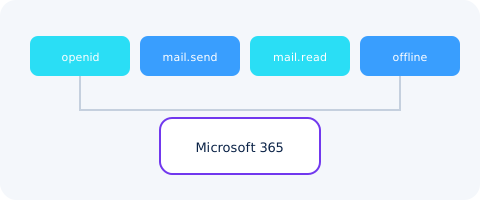
openid, email, offline_access, User.Read, Mail.Send, Mail.Read. Send uses Graph me/sendMail with internet message headers so follow-ups thread. Receive uses me/mailFolders/inbox/messages with a cursor.
App registration
An operator must create a Microsoft app registration and put the client ID and secret into MAILTIG. Until then the OAuth button stays off.
Limits and gaps
- Default daily send limit is 50 per mailbox. Tenant-level Microsoft limits still apply.
- Graph change subscriptions are not used; replies arrive on a one-minute poll.
- DKIM is provider-managed. Preflight still wants a verified sending domain.
If an admin consent is required in your tenant, the person connecting the mailbox will see Microsoft's consent screen, not MAILTIG's.