

Basics
What is outbound email software?
Outbound email software sends one-to-one and sequenced messages to prospects, then keeps replies, consent and sending health in one place. What it is, and what to check before you buy.
By MAILTIG editorial. Reviewed by Engineering (Integration engineer (product source)) on 6 November 2026. Next review due 6 May 2027. 5 minute read.
Outbound email software sends messages that you start, not messages that customers ask for. A person or a team chooses a list of contacts, writes a message, and sends it from a mailbox they own. A sequence then sends follow-ups on a schedule, and the replies come back into one place for a person to handle.
What the software usually does
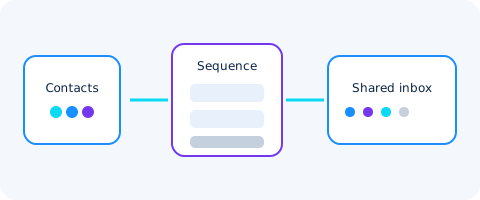
Most outbound tools cover four jobs:
- Contacts: import, de-duplicate and record who you may contact and why.
- Sequences: a set of steps with delays, sent from one or more mailboxes.
- Replies: a shared inbox where a reply is matched to the contact and the step that caused it.
- Sending health: checks on the sending domain and records of bounces and complaints.
Some tools add analytics, CRM sync or AI drafting. Those are useful only after the four jobs above work.
Outbound is not the same as bulk marketing
Outbound email is written for one recipient at a time, to someone who has not asked for it. That raises the bar on consent and on honest identification. The FTC's CAN-SPAM guidance requires a valid sender identity, a truthful subject, a working opt-out and a postal address in commercial email. Rules in other countries, including the EU and UK under GDPR, add lawful-basis requirements. Read lead consent and contact suppression before you import a list.
What to check before you buy
- Mailboxes: whether you connect your own Gmail, Microsoft 365 or SMTP mailbox, and who owns the sending reputation.
- Replies: whether replies stop the sequence and reach a person without a second tool.
- Domain checks: whether SPF, DKIM and DMARC are verified before the first send. See the SPF, DKIM and DMARC guide.
- Pricing: whether the cost is stated per send or per credit, and whether unused credits expire.
Where to start
Begin with one mailbox, a short sequence and a small test list. Measure replies, bounces and unsubscribes before you scale. The first safe outbound test walks through that order.